


September 2008 Weddings
Dear Community,
Our tech team has launched updates to The Nest today. As a result of these updates, members of the Nest Community will need to change their password in order to continue participating in the community. In addition, The Nest community member's avatars will be replaced with generic default avatars. If you wish to revert to your original avatar, you will need to re-upload it via The Nest.
If you have questions about this, please email help@theknot.com.
Thank you.
Note: This only affects The Nest's community members and will not affect members on The Bump or The Knot.
Our tech team has launched updates to The Nest today. As a result of these updates, members of the Nest Community will need to change their password in order to continue participating in the community. In addition, The Nest community member's avatars will be replaced with generic default avatars. If you wish to revert to your original avatar, you will need to re-upload it via The Nest.
If you have questions about this, please email help@theknot.com.
Thank you.
Note: This only affects The Nest's community members and will not affect members on The Bump or The Knot.
**Jules**
First of all, how the heck are you 30 weeks already??
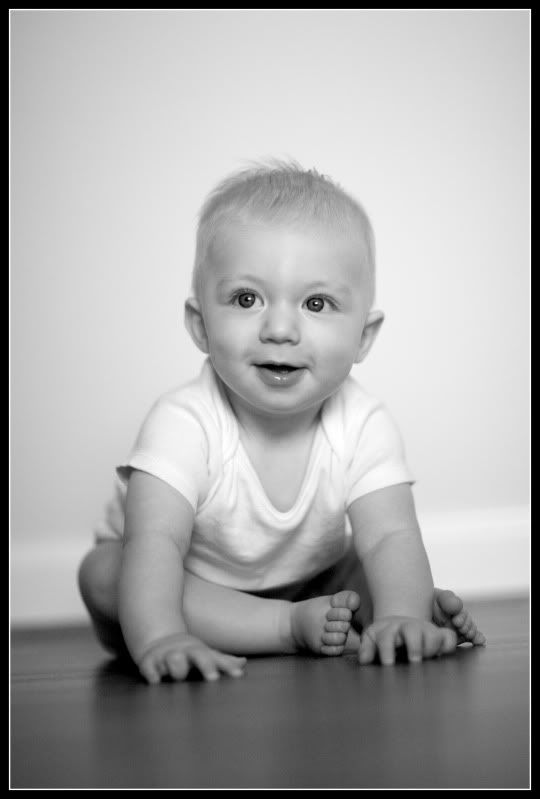
Secondly, I have a photo editing question for you. I have a picture of Eli that I want to use for his baptism invitation, but the blanket he is laying on is way too busy next to the text of the invitation. What is the best way to make it look like he is laying on something completely solid? (like a white blanket instead of one with orange, green and blue animals ha). I tried (in PSE) to use the healing brush, but not only is that time intensive, it didn't work that well. I am not great with PSE, so I don't know what to try next! Here is the picture SOTC:

(I know I need to brighten it up as well.) Thanks for any suggestions you can provide!!


Re: **Jules**
Ha, I know .. it came out of no where!
Aww what a cutie pie! So since I am home I did a quick photo play (so it's still a little rough), let me know though if you want me to take the picture out!
What I did:
1. brightened up the picture
2. I used the clone tool instead of the healing tool. This allowed me to pick exactly which part of the blanket I wanted to keep. I cloned a white area on the left side of the picture. I kept cloning over the animal print (once you get a decent area cloned, the rest goes really fast).
3. I zoomed in and used a smaller brush next to his body to get a tight clone.
4. I used a combination of the blur and smudge tools at the edges of his body so the clone line wouldn't be so harsh.
4. I ran 2 actions: coffee shops baby powder and baby powder 2 - this helped me lighten up his skin and even it out a bit. It also helped me get rid of some of the noise created by brightening the picture. Then I brightened up his eyes a bit, got them a bit more even in color and reduced the noise.
5. I ran a color balance to take out a bit of the orange left in his skin.
6. I ran a warming filter to give him a bit more color in his skin (this you can play with the opacity and color of the filter to get his skin tone correct). It might still be a touch cool.
Like I said it's still a bit rough, but it was only about 5 minutes of editing.
::butting in::
Jules, is there such a way to separate Eli and the blanket into 2 separate layers? I thought there was (although I've never been able to figure it out).
Thanks!
::butting out::
Yes, you can use the selection tool to highlight one or the other and copy it onto another layer, then you can go back to the original layer (background) and mask that same part out. Then you can work on each in two separate layers.
2012 Reading Challenge